Same instructions, different images. Compare Nano Banana 2.1 with GPT Image 2.5 Flare across poster text, portrait texture, product reflections and a targeted edit of the same source photo.
Generated through EvoLink on November 4, 2026: one output per task and model, with no rerolls or cherry-picking. All use 1K and 1:1; Flare uses medium quality, Nano Banana 2.1 uses default thinking with search off. This small sample is not an overall ranking.
Choose a model and try the same prompt
Nano Banana 2.1 vs GPT Image 2.5: capabilities & site options
Official capabilities and connected site options are distinguished below. This comparison uses Flare, with no Sunburst outputs mixed in.
Dimension
Nano Banana 2.1
GPT Image 2.5 Flare
Actual engine
gemini-nano-banana-2.1
gpt-image-2.5-flare
Site resolution options
1K, 2K, 4K; default 1K
1K, 2K, 4K; default 1K
Site quality controls
Resolution selection; default thinking
low, medium, high; default medium
Site reference limit
14 images; site uploads up to 10 MB each
16 images
Site credits per image
1K: 8; 2K: 12; 4K: 24
Depends on quality and resolution; see the generate button
Additional capabilities
Official search grounding; search controls are not exposed here
Flare only on this page; Sunburst is not offered
Actual engine
Nano Banana 2.1
gemini-nano-banana-2.1
GPT Image 2.5 Flare
gpt-image-2.5-flare
Site resolution options
Nano Banana 2.1
1K, 2K, 4K; default 1K
GPT Image 2.5 Flare
1K, 2K, 4K; default 1K
Site quality controls
Nano Banana 2.1
Resolution selection; default thinking
GPT Image 2.5 Flare
low, medium, high; default medium
Site reference limit
Nano Banana 2.1
14 images; site uploads up to 10 MB each
GPT Image 2.5 Flare
16 images
Site credits per image
Nano Banana 2.1
1K: 8; 2K: 12; 4K: 24
GPT Image 2.5 Flare
Depends on quality and resolution; see the generate button
Additional capabilities
Nano Banana 2.1
Official search grounding; search controls are not exposed here
GPT Image 2.5 Flare
Flare only on this page; Sunburst is not offered
What stands out in these particular outputs?
Posters: the same words, different hierarchy
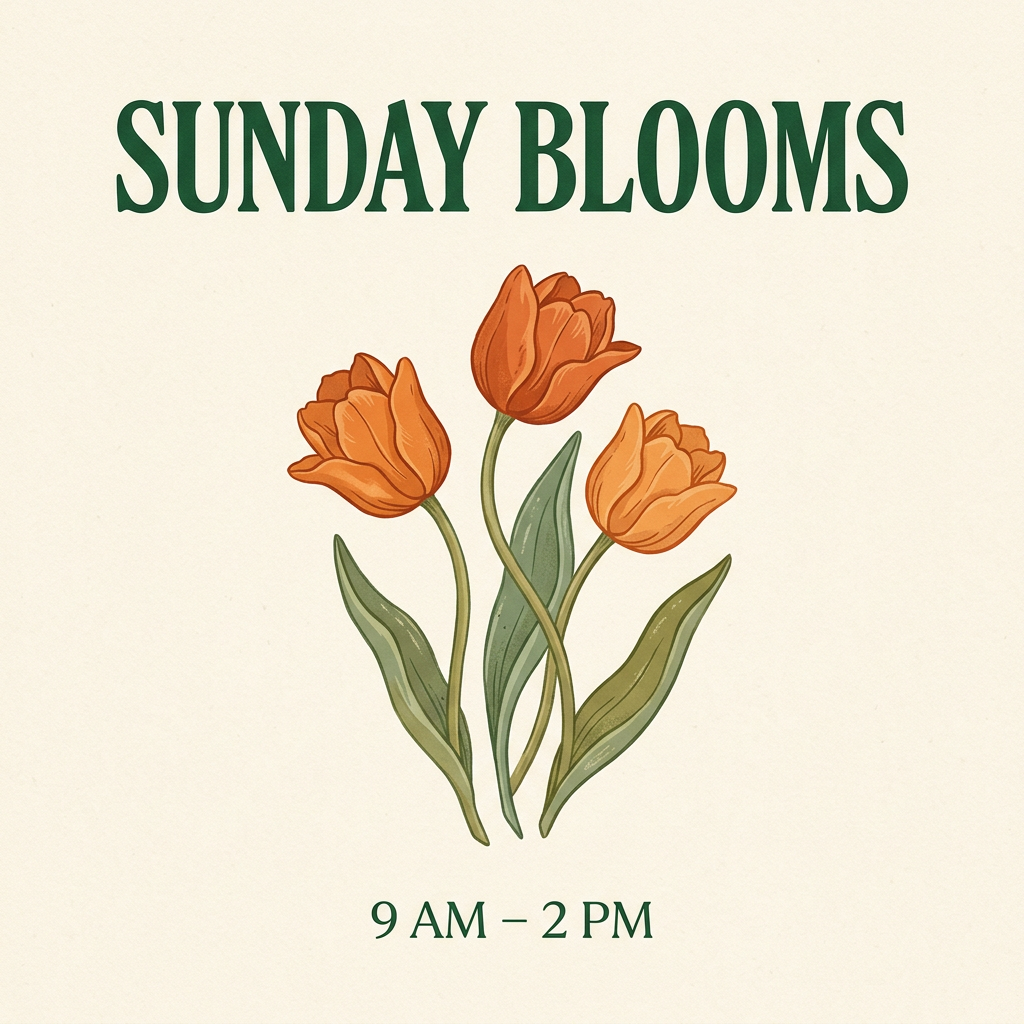
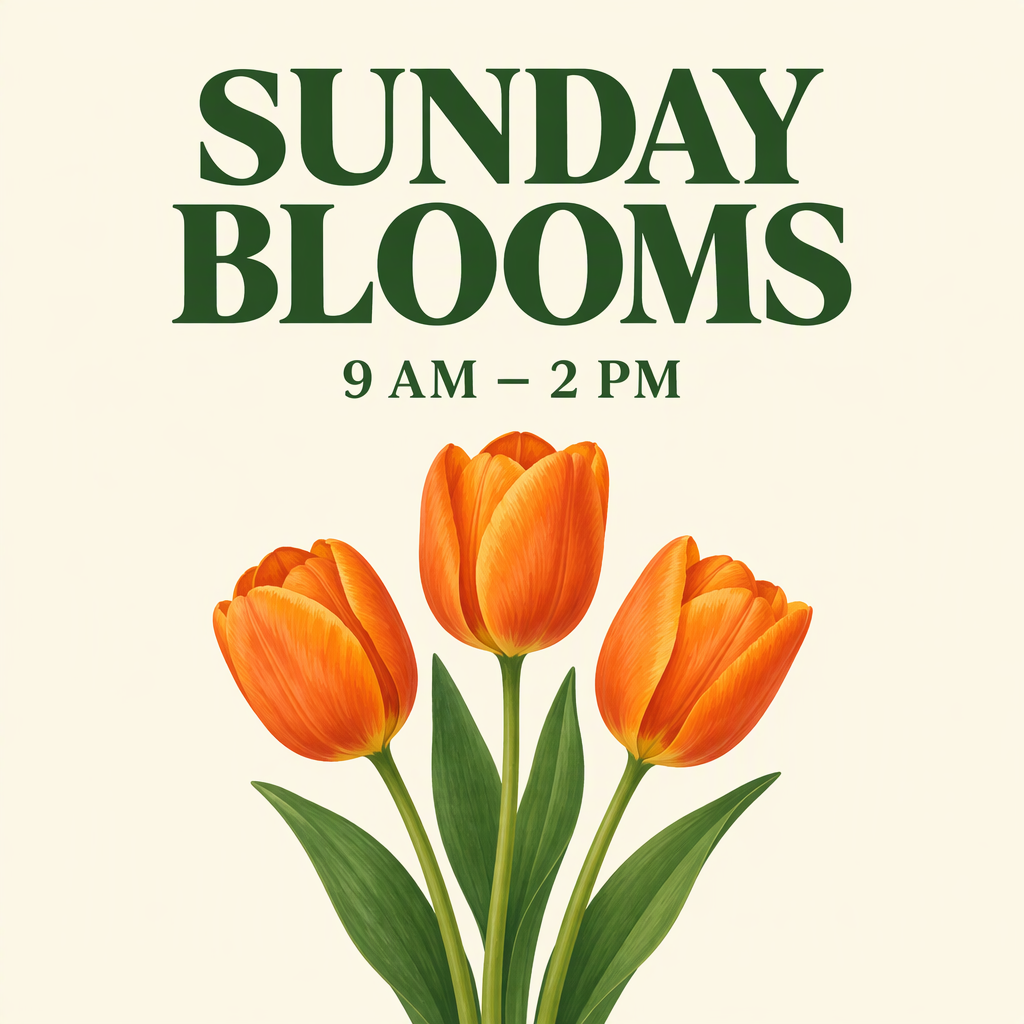
Both show the requested headline, time and three orange tulips. Nano Banana 2.1 places the time at the bottom; Flare splits the headline across two lines and puts the time above the flowers. Judge the layout against your intended use.
Portraits: check the background constraint
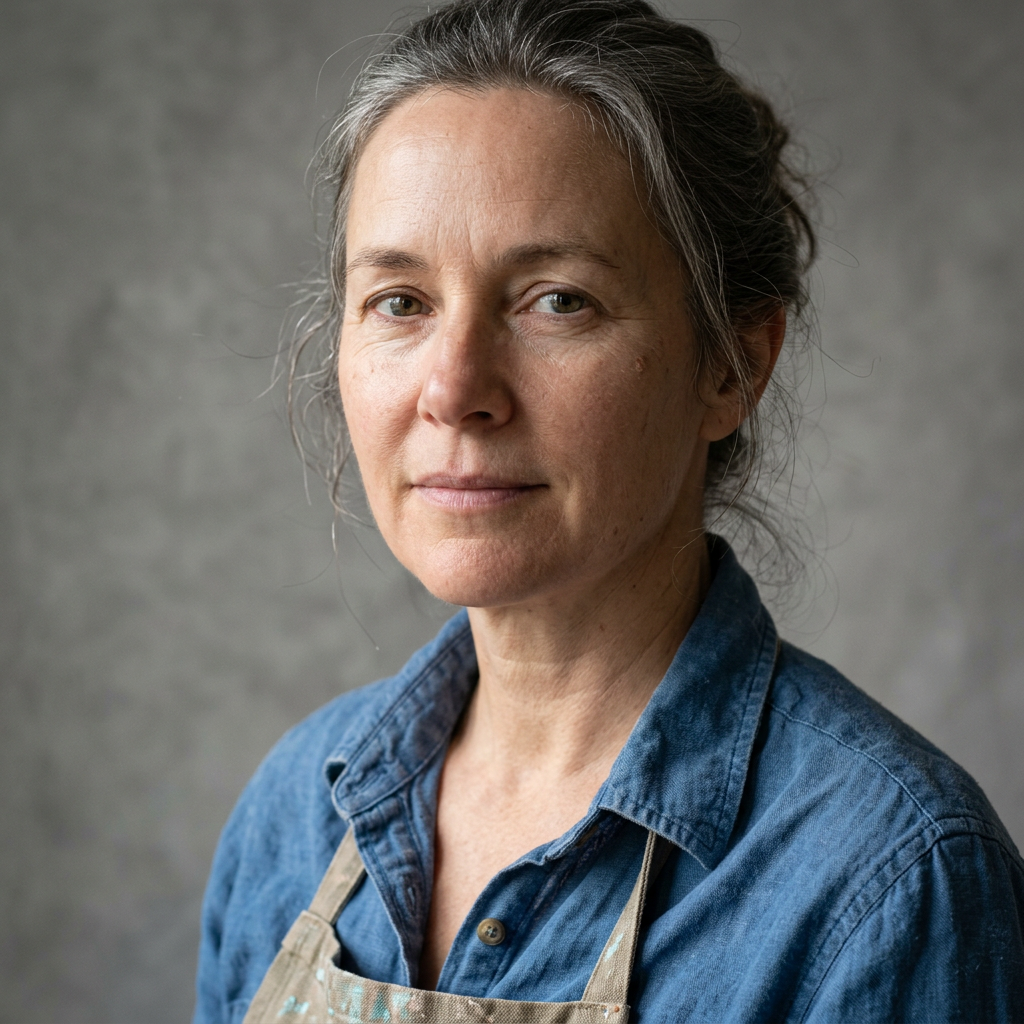
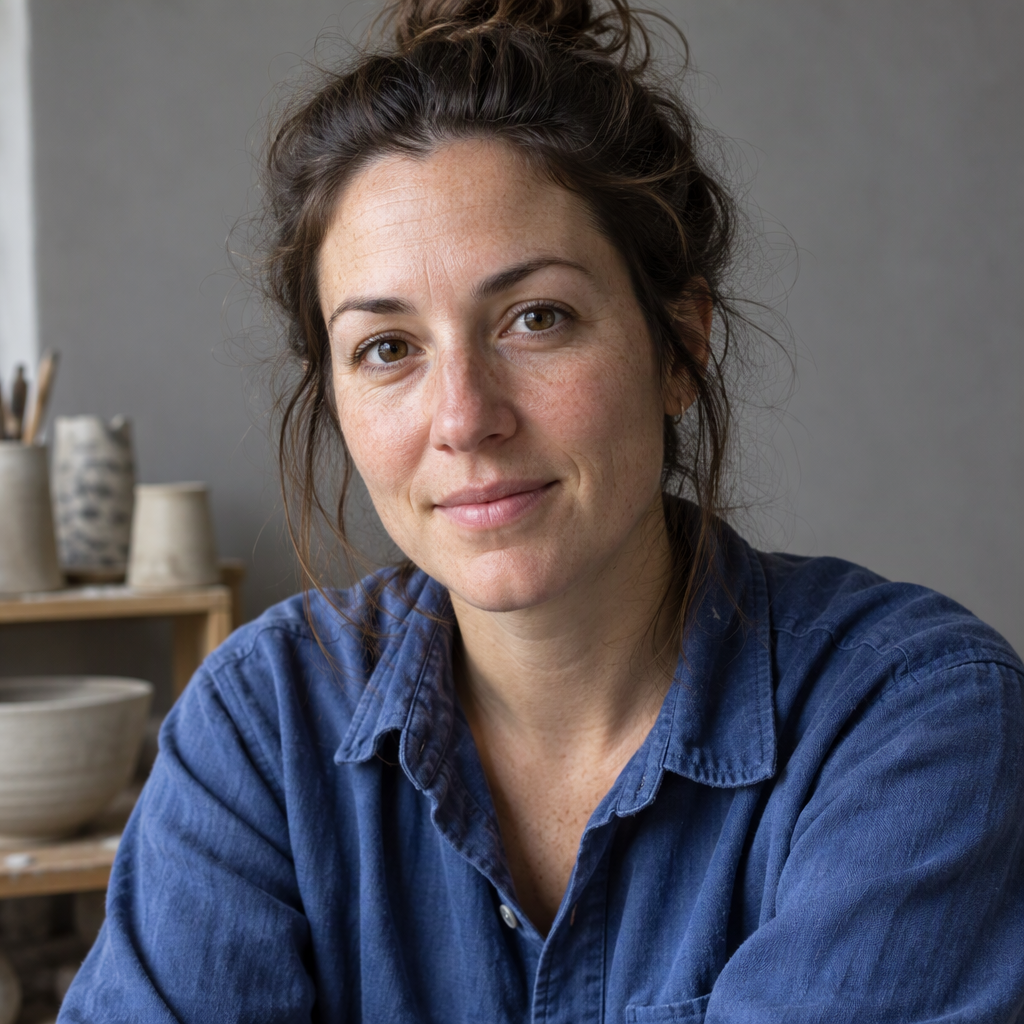
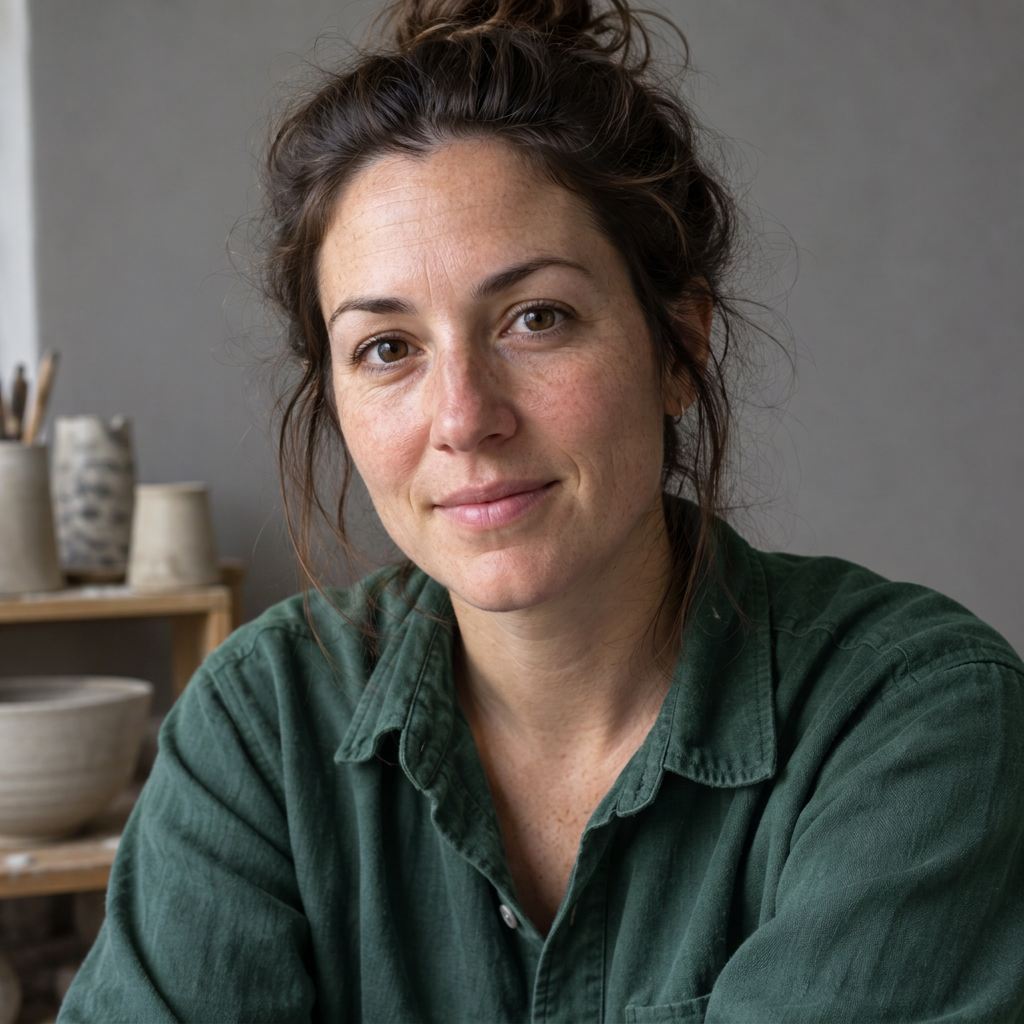
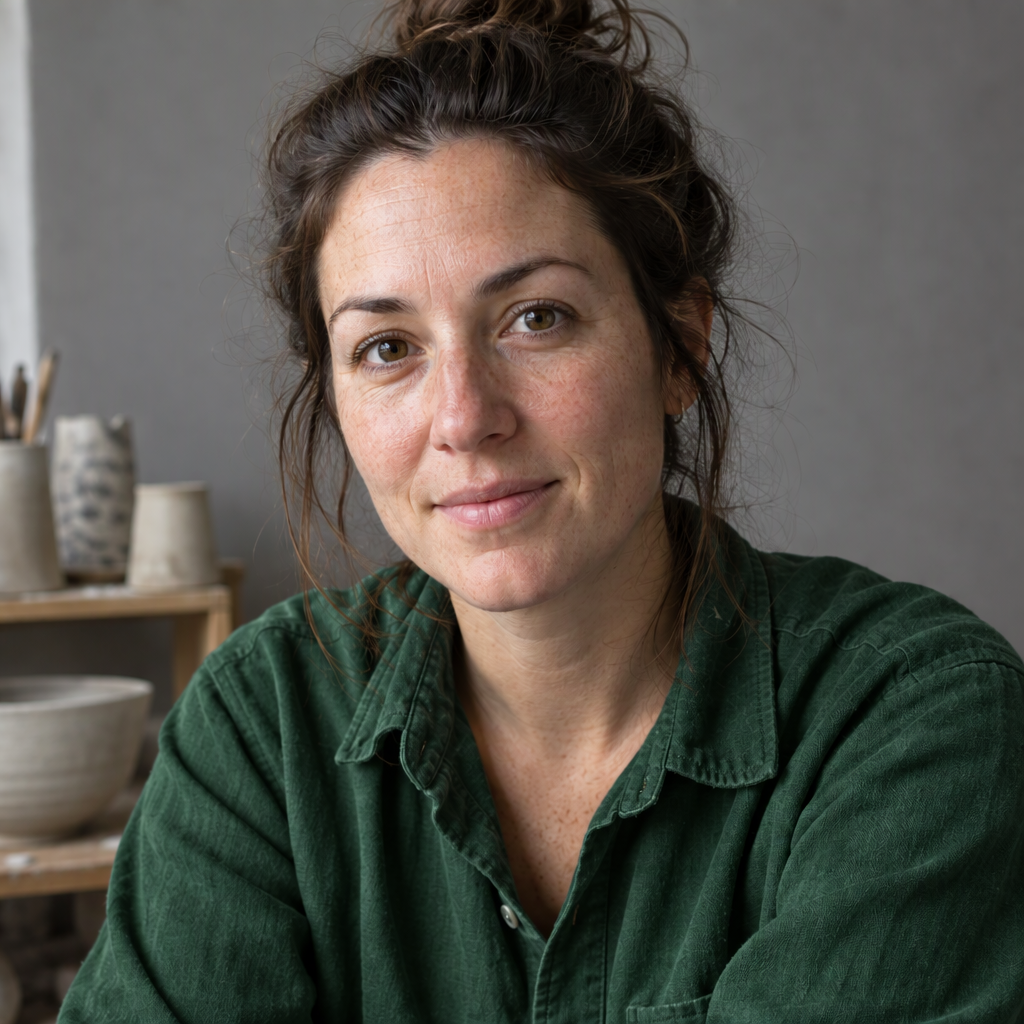
The prompt asks for a neutral gray background. Nano Banana 2.1 returns gray; Flare adds studio objects. These are different generated people, so this tests text-to-image instruction following, not identity preservation.
Products: inspect light and materials
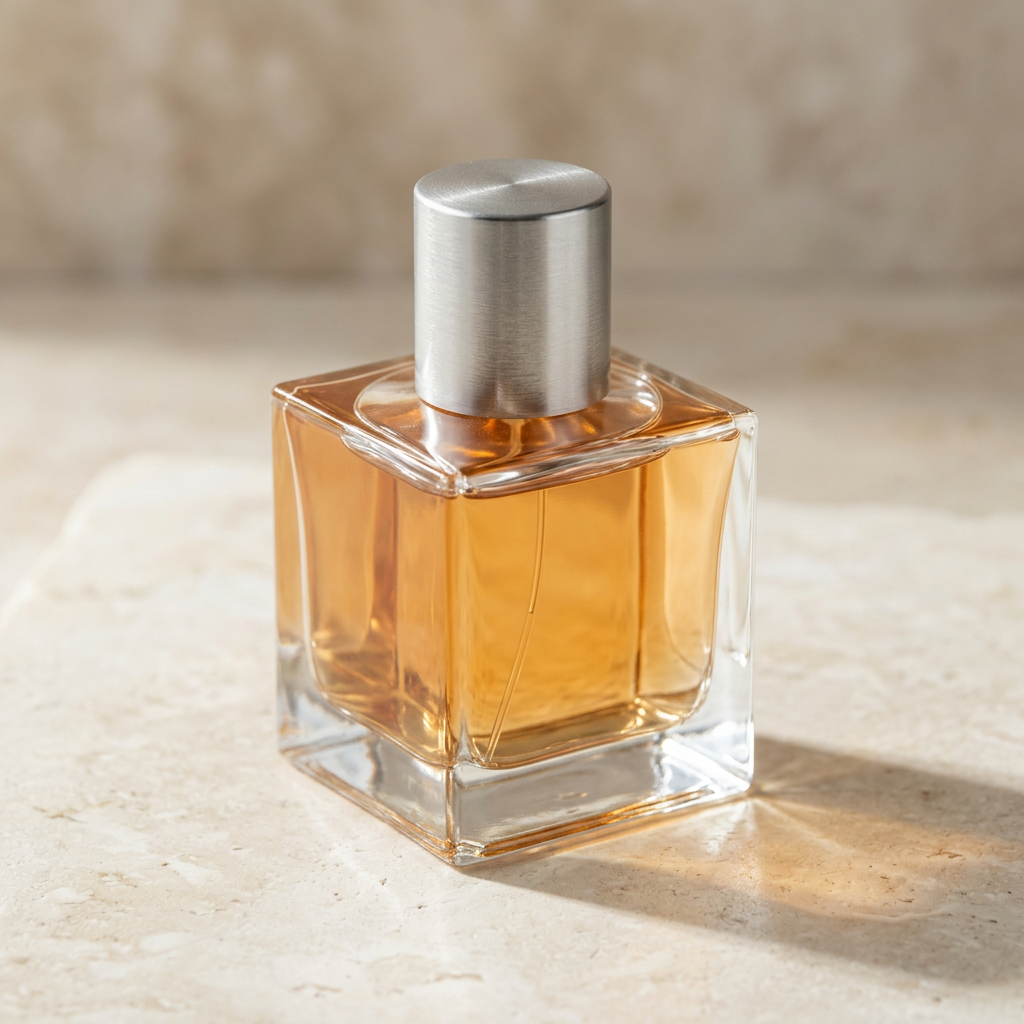
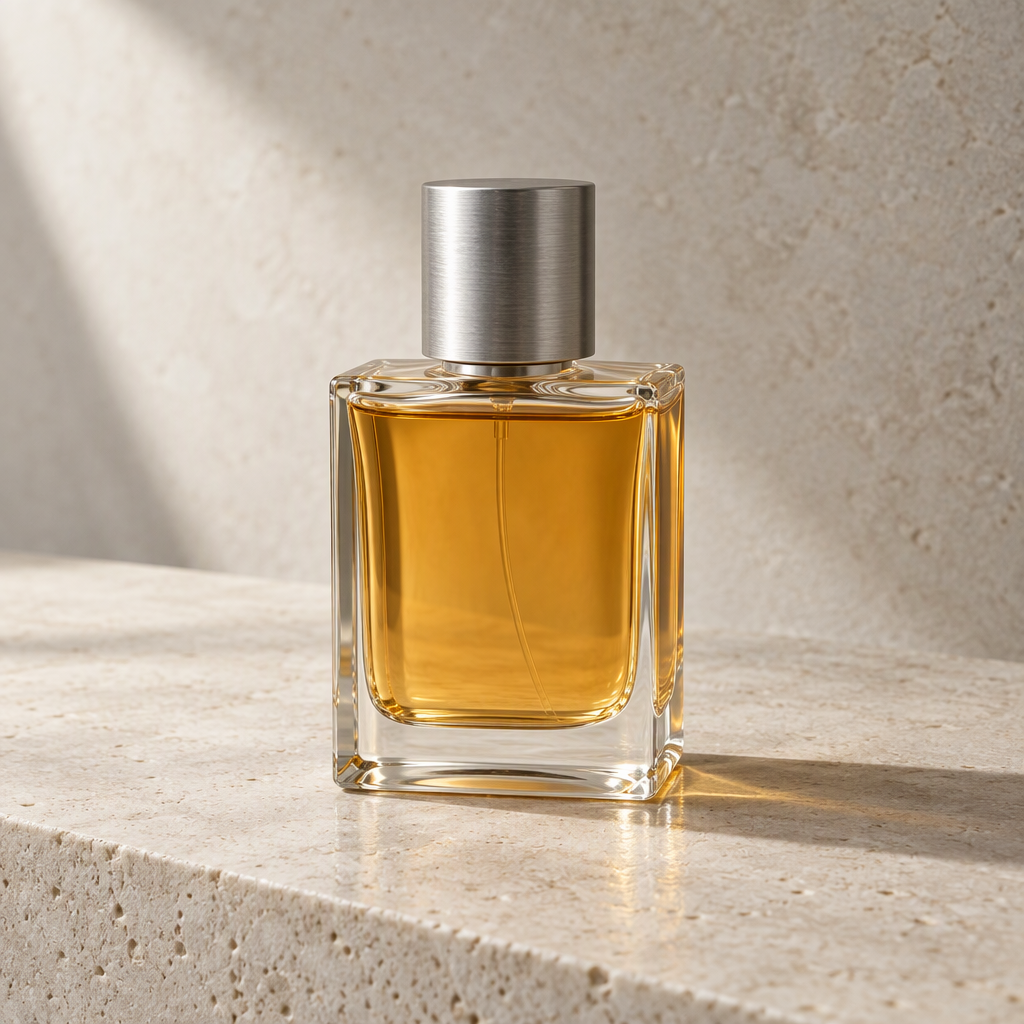
Both include clear glass, amber liquid and a silver cap. Bottle shape, light direction and shadow strength differ. Inspect reflections and glass edges at full size instead of choosing from thumbnails alone.
How to interpret this Nano Banana 2.1 vs GPT Image 2.5 comparison
01
Match inputs and disclose settings
Each task has one output per model. Aspect ratio and resolution match, but thinking and quality controls are different scales. This compares the page’s default workflows, not equal compute or equal spending.
02
Check constraints before taste
Verify exact poster text, the gray-background instruction and material reflections. Both edits use the Flare portrait above as their source: inspect the face, background and shirt folds for unintended changes.
03
Separate one-run cost from long-term value
Cards show actual API charges for this run. A single result cannot establish usable-output rates or overall value. Repeat on your own tasks and count failures, retries and usable images.
Frequently asked questions
Nano Banana 2.1 vs GPT Image 2.5: which produces better images?
These examples show tradeoffs, including different poster layouts and different adherence to the gray-background instruction. Four single-output pairs cannot establish an overall winner. Inspect the full-size images and reuse the prompts for your own tasks.
Are these real outputs from the two new models?
Yes. EvoLink requests on November 4, 2026 used gemini-nano-banana-2.1 and gpt-image-2.5-flare. Actual requests, task IDs, dimensions and costs were saved. No older samples or substitute image engines are used.
Is Nano Banana 2.1 the same as Nano Banana 2 Lite?
No. The 2.1 model ID is gemini-nano-banana-2.1; Lite uses gemini-3.1-flash-lite-image. This page’s generator and images use the real 2.1 model, not Lite.
Which GPT Image 2.5 variant runs here?
Flare. The comparison uses medium quality, 1K and 1:1. Sunburst is a separate model and its outputs are not mixed into this comparison.
How should I compare the costs?
Image cards show the actual provider charge for each request, including its inputs and outputs. Site credits are a separate product price: Nano Banana 2.1 costs 8, 12 or 24 credits at 1K, 2K or 4K. Flare costs vary with quality and resolution; check the generate button.
How can I reproduce the reference edit?
Download the source linked beside the editing pair, choose a model, load the recoloring prompt and upload that source. Use the same file on both models. Example buttons load the prompt; they do not upload a reference automatically.
Choose the real Nano Banana 2.1 or GPT Image 2.5 Flare engine. Samples switch with the model and come from this API run; select one to reuse its exact prompt. For the editing example, upload the shared source image linked below. Check the generate button for the credit charge.
Settings
Model
Ratio
Resolution
Quality
Images
Credits: -
Cost: 8 ⚡
🎁 New users get free credits upon signup — no card needed
Nano Banana 2.1 vs GPT Image 2.5: four real image pairs
Each pair uses the exact same prompt; the editing pair also shares the exact same input image. Outputs are displayed as lossless WebP at their original dimensions, with no retouching. Costs below are actual provider charges for this run, not site credit prices.
Poster typography
Nano Banana 2.11024 × 1024 · $0.036
1K · 1:1 · default thinking · search off
GPT Image 2.5 Flare1024 × 1024 · $0.012
1K · 1:1 · quality: medium
Exact prompt & task IDs
Create a square poster for a flower market. Exact headline: "SUNDAY BLOOMS". Exact subtitle: "9 AM – 2 PM". Three illustrated orange tulips, cream background, clear type hierarchy, generous margins. No other text.
A close-up studio portrait of an adult ceramic artist in a blue cotton shirt, neutral gray background, soft window light from the left. Natural pores, fine hair, realistic fabric texture, no beauty filter, square composition.
A square studio product photograph of one clear glass perfume bottle with an amber liquid and a brushed silver cap, on pale stone. Soft side lighting, physically plausible reflections, one soft shadow, no label or text.
Using the uploaded portrait, change only the blue cotton shirt to deep forest green. Preserve the face, hair, skin texture, shirt folds, background, lighting, framing and camera angle. Do not add or remove anything.
Nano Banana 2.1 vs GPT Image 2.5: reuse the comparison prompts
Poster, portrait, product and reference-edit prompts have paired outputs above. Object layout and wide banners are additional suggestions, not tested in this run. Load any prompt into the selected model.
01 · Poster & exact text
Paired results above
Create a square poster for a flower market. Exact headline: "SUNDAY BLOOMS". Exact subtitle: "9 AM – 2 PM". Three illustrated orange tulips, cream background, clear type hierarchy, generous margins. No other text.
Check every letter, the time, and whether the headline remains readable at thumbnail size.
02 · Portrait & natural texture
Paired results above
A close-up studio portrait of an adult ceramic artist in a blue cotton shirt, neutral gray background, soft window light from the left. Natural pores, fine hair, realistic fabric texture, no beauty filter, square composition.
Inspect pores, hair edges, fabric, and the direction of light; avoid choosing by skin smoothing alone.
03 · Product & reflections
Paired results above
A square studio product photograph of one clear glass perfume bottle with an amber liquid and a brushed silver cap, on pale stone. Soft side lighting, physically plausible reflections, one soft shadow, no label or text.
Check glass geometry, liquid level, reflections and contact shadows at full resolution.
04 · Layout & object counting
Suggested test · not run
An overhead square photograph of exactly five objects on a light oak desk: a red notebook at the center, a blue pen to its right, a green cup above it, a brass key to its left, and a white envelope below it. No other objects, no text.
Count all five objects and verify every position before judging visual polish.
05 · Reference editing & preservation
Paired results above
Using the uploaded portrait, change only the blue cotton shirt to deep forest green. Preserve the face, hair, skin texture, shirt folds, background, lighting, framing and camera angle. Do not add or remove anything.
Use the same source photo. Compare the unedited regions and track unintended changes.
06 · Wide banner & composition
Suggested test · not run
A wide website banner of a tiny yellow sailboat on a calm teal sea at dawn, aerial view. Place the boat in the right third; keep the left half empty for a headline. Soft natural light, no text, no border.
Use a shared aspect ratio such as 16:9. Check empty space, horizon and composition, not just output size.